> For the complete documentation index, see [llms.txt](https://docs.ixhello.com/llms.txt). Markdown versions of documentation pages are available by appending `.md` to page URLs; this page is available as [Markdown](https://docs.ixhello.com/ixhc2/flows/flow-editor/flow-summary-node-user-guide.md).
# Flow Summary Node - User Guide
### Overview
The Flow Summary Node enables designers to automatically generate a concise summary of the conversation that has occurred up to that point in a flow. The generated summary is stored in a session variable and can be used later within the flow, displayed to users, or sent to external systems for reporting, analytics, or handoff purposes.
This feature is particularly useful for:
* Capturing conversation context before transfer or escalation
* Generating interaction summaries for CRM or external systems
* Storing conversation insights for analytics
* Reducing the need to process entire conversation transcripts downstream
***
### How It Works
Behind the scenes, the Flow Summary Node:
1. Collects the conversation transcript accumulated up to the node.
2. Sends the transcript along with the configured summary prompt to a Large Language Model (LLM).
3. Receives a generated summary from the model.
4. Stores the summary in a session variable for later use within the flow.
Optionally, the conversation transcript can be processed through PII Redaction before being sent for summarization.
***
### Configuring the Flow Summary Node
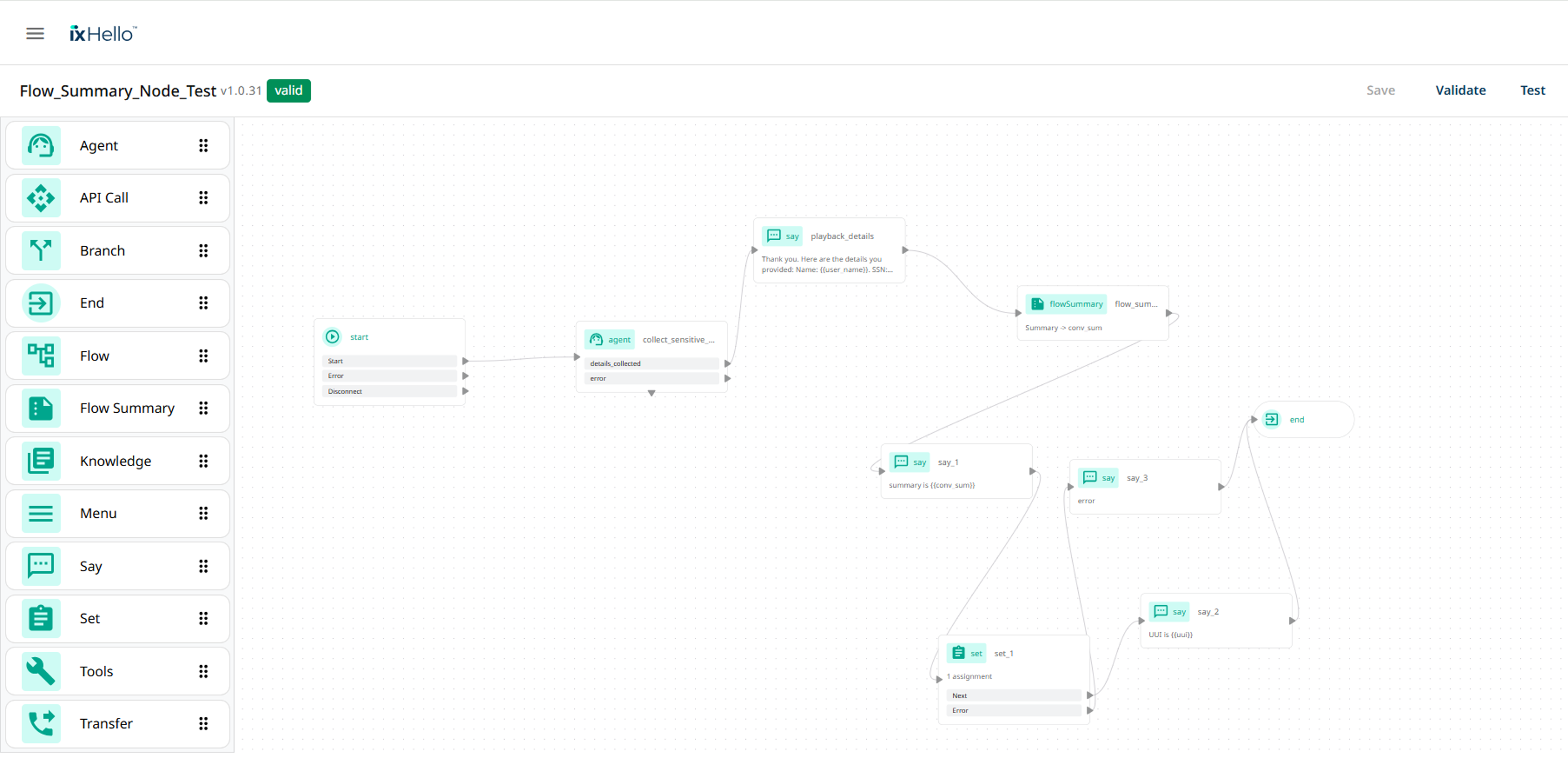
Navigate to flows and choose an existing application and you see a node called "Flow Summary"
#### 1. Summary Variable
Use the Flow Summary Node to generate a concise summary of the conversation based on a configured summary prompt. The generated summary is automatically stored in a session variable, making it available for use throughout the flow, integrations, or downstream processes.
Configuration: Specify the session variable where the generated conversation summary will be saved. This variable can later be referenced in other nodes, API calls, agent handoffs, or reporting workflows.
***
#### 2. Output Format
Choose the format in which the summary will be generated and stored.
The selected format determines how the summary content is structured for downstream usage.
***
#### 3. Language Selection
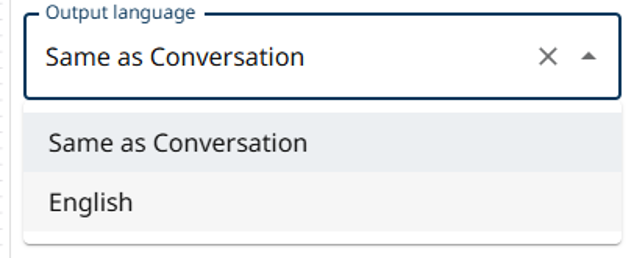
The summary language is controlled by the languages configured in the Global Flow Configuration.
Options include:
* Same as Conversation
* Specific configured flow language
{% hint style="info" %}
Note: Only languages configured for the flow are available for selection.
{% endhint %}
***
#### 4. Redact PII
Redact PII provides an additional privacy and compliance layer.
When enabled:
* The conversation transcript is first sent to the Presidio Analyzer.
* Personally Identifiable Information (PII) is detected.
* Identified PII elements are redacted before summarization.
* The redacted transcript is then sent to the LLM for summary generation.
Supported PII may include:
* Customer names
* Phone numbers
* E-Mail addresses
* Credit card numbers
* Account identifiers
* Other configured sensitive information
**Benefits**
* Protects customer privacy
* Reduces exposure of sensitive information
* Helps support compliance and governance requirements
***
#### 5. Conversation Insights
When enabled, additional conversational intelligence is generated and included in the output.
Available insights include:
* Intent
* Entities
* Sentiment
* Sentiment Source
* Summary
These insights are stored alongside the generated summary and can be used in reporting, integrations, or workflow automation.
***
### Accessing the Output
The generated data is available through the configured output variable.
#### Available Output Keys
| Key | Description |
| --------------- | ---------------------------------------- |
| summary | Generated conversation summary |
| intent | Detected customer intent |
| entities | Extracted entities from the conversation |
| sentiment | Overall conversation sentiment |
| sentimentsource | Source used for sentiment analysis |
***
### Using the Summary Within a Flow
The stored summary can be consumed in multiple ways:
Use a Say Node to present the generated summary.
***
#### External API-Integration
The summary can also be passed to an API Call Node and sent to external platforms such as:
* CRM systems
* Analytics platforms
* Ticketing systems
* Knowledge management solutions
* iX Wisdom or other integrated services
The API can consume:
* Summary
* Intent
* Entities
* Sentiment
* Other conversation insights
***
### Example Use Case
#### Customer Support Handoff
1. Customer interacts with a virtual assistant.
2. Flow Summary Node generates a concise conversation summary.
3. Summary is stored in a session variable.
4. The summary is sent to a ticketing or agent-assist system.
5. Human agents receive conversation context without reviewing the full transcript.
Result: Faster handoffs and improved agent efficiency.
***
### Bot Testing
### Best Practices
* Enable PII Redaction when customer data may contain sensitive information.
* Use Conversation Insights when analytics, reporting, or routing decisions are required.
* Store summaries in a clearly named session variable for easy maintenance.
* Pass summaries to downstream systems instead of entire transcripts whenever possible.
* Validate generated summaries during testing to ensure they meet business requirements.
***
### Key Benefits
* Automatically summarizes conversation history
* Stores summaries in reusable session variables
* Supports privacy protection through PII redaction
* Generates conversation insights such as intent and sentiment
* Integrates easily with API calls and external systems
* Reduces dependency on full conversation transcripts
* Improves agent handoff and reporting workflows
***
#### Conclusion
The Flow Summary Node provides an efficient way to capture and reuse conversation context within a flow. By combining AI-powered summarization, optional PII redaction, and conversation insights, it helps organizations streamline integrations, improve customer support workflows, and enhance operational reporting while maintaining privacy and compliance standards.
---
# Agent Instructions
This documentation is published with GitBook. GitBook is the documentation platform designed so that both humans and AI agents can read, navigate, and reason over technical content effectively. Learn more at gitbook.com.
## Querying This Documentation
If you need additional information that is not directly available in this page, you can query the documentation dynamically by asking a question.
Perform an HTTP GET request on the current page URL with the `ask` query parameter, and the optional `goal` query parameter:
```
GET https://docs.ixhello.com/ixhc2/flows/flow-editor/flow-summary-node-user-guide.md?ask=&goal=
```
`ask` is the immediate question: it should be specific, self-contained, and written in natural language.
`goal` is optional and describes the broader end goal you are ultimately trying to accomplish on behalf of the user. GitBook uses it to tailor the answer towards what is most useful for that goal.
The response will contain a direct answer to the question and relevant excerpts and sources from the documentation.
Use this mechanism when the answer is not explicitly present in the current page, you need clarification or additional context, or you want to retrieve related documentation sections.